Screenshot translation: text inside images, too
Half of what gets exchanged in export chats lives inside images: quote screenshots, shipping documents, product listings. Select an area and you have the translation.
At a glance
- Limits
- Counted against the monthly quota by recognised character count; a daily image cap also applies to prevent abuse.
- Platforms
- WhatsApp Web, KakaoTalk desktop
- Requirements
- Windows 10 / 11 (64-bit). No macOS, no mobile.
- Price
- 20 USDT / 30 days,3 days free on sign-up, no payment required
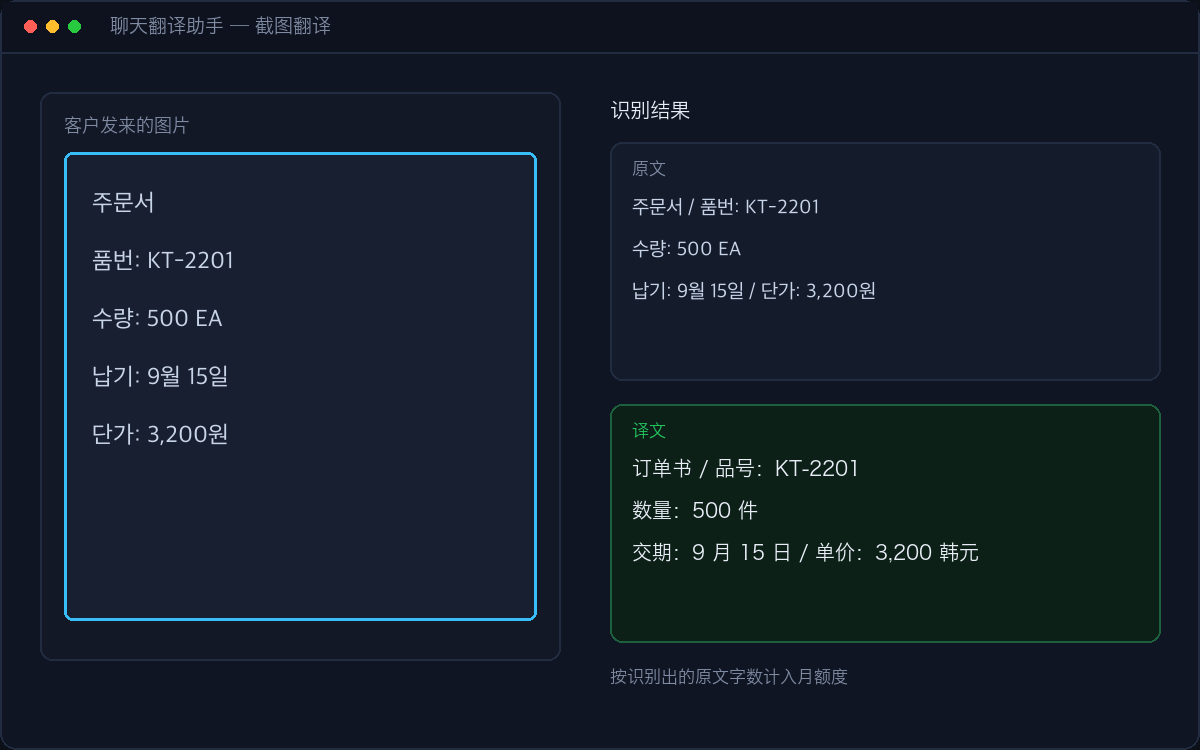
Recognition and translation happen in one pass. Splitting them (read first, translate second) looks tidier, but a misread character gets passed straight into translation and compounds the error. A multimodal model sees the glyphs and the layout at once, so blurry text, vertical text and meme fonts all come out better.
You get the source text as well as the translation: the source lets you check what was read, and it is also what gets metered — counted against your monthly quota by recognised character count, the same unit as text translation.
Install it, use it for 3 days, pay only if it fits.